Make a film · Chapter 16
Deliver and review
Deliver is where the film leaves Vexel: masters for finishing and the web, an editorial handoff to Premiere, Final Cut or Resolve, a Spotify Canvas, the storyboard PDF, and review links for clients. Everything on this tab is free, except drawing missing sketches for the PDF.
The Deliver tabLink to The Deliver tab
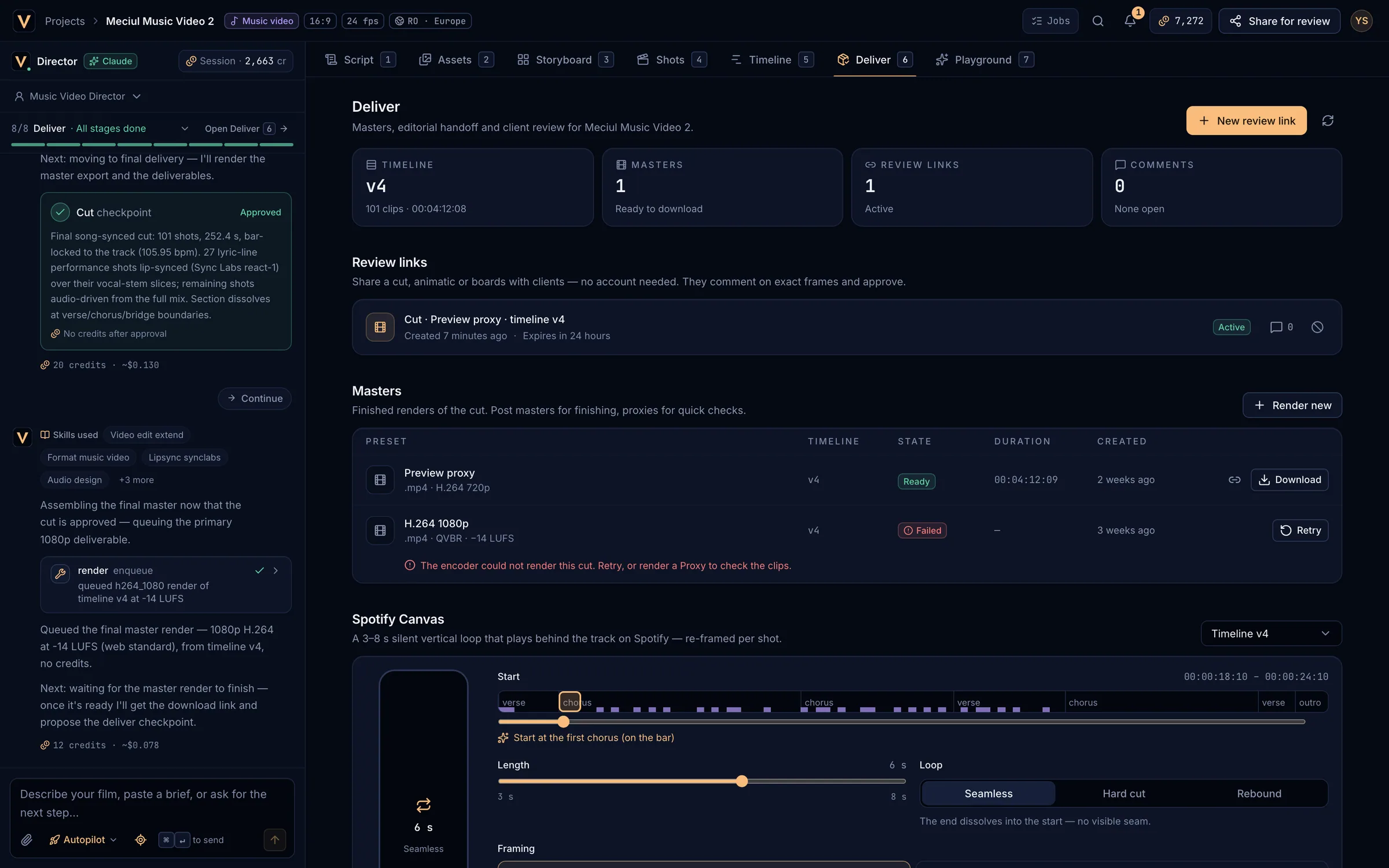
- Summary: timeline version, masters, review links, open comments.
- New review link and refresh.
- Review links.
- Masters.
Render a masterLink to Render a master
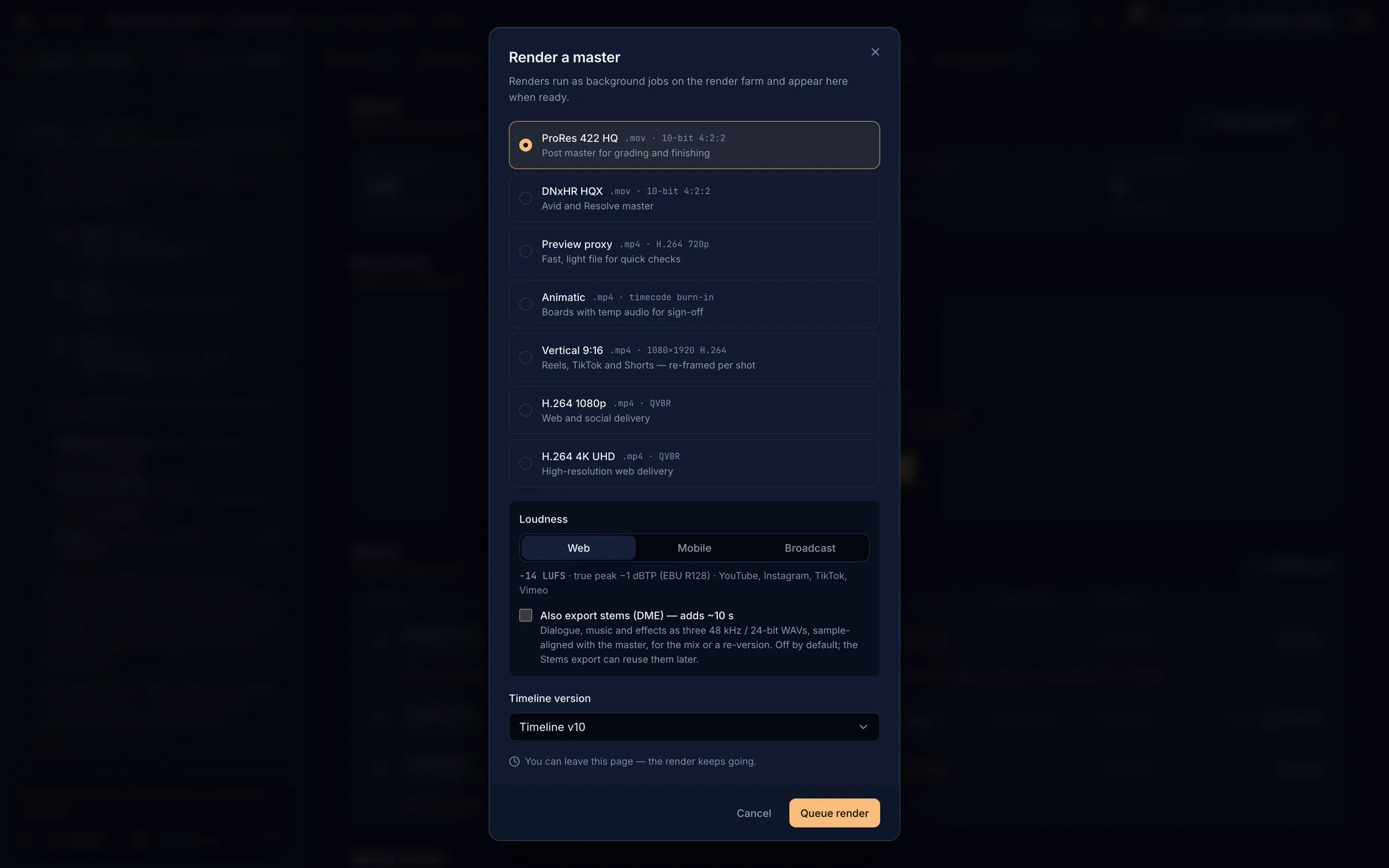
| Preset | File | For |
|---|---|---|
| ProRes 422 HQ | .mov · 10-bit 4:2:2 | Grading and finishing |
| DNxHR HQX | .mov · 10-bit 4:2:2 | Avid and Resolve |
| H.264 1080p | .mp4 | Web and social |
| H.264 4K UHD | .mp4 | High-resolution web |
| Vertical 9:16 | .mp4 · 1080×1920 | Reels, TikTok and Shorts, re-framed per shot (Subject-aware or Centre crop) |
| Preview proxy | .mp4 · 720p | Quick checks |
| Animatic | .mp4 with timecode | Sign-off with temp audio |
- Loudness: Web −14 LUFS (default), Mobile −16 LUFS or Broadcast −23 LUFS (EBU R128), all with a −1 dBTP true peak.
- Also export stems (DME): dialogue, music and effects as three 48 kHz / 24-bit WAVs aligned with the master.
- Pick the Timeline version and Queue render. You can leave the page; renders run in the background and you are notified.
- Ready masters have Download and a share icon to send that render for review. A failed one shows the reason and Retry.
- Download links are short-lived: if one has expired, click Download again.
Hand off to an editorLink to Hand off to an editor
| For | File | How to open |
|---|---|---|
| Premiere Pro | Final Cut Pro 7 XML (.xml) | File → Import, then choose the .xml |
| Final Cut Pro, DaVinci Resolve | FCPXML 1.11 (.fcpxml) | Final Cut: File → Import → XML · Resolve: File → Import → Timeline |
| OTIO-aware tools | OpenTimelineIO (.otio) | Resolve, Hiero, Blender, otioconvert |
- Download relink bundle (.zip): the project files, every source clip and its audio, one stem per audio track, and a README with relink steps for each NLE. Paths are relative, so the cut opens linked.
- Export stems (.zip): dialogue, music and effects WAVs at the exact cut length, not normalised.
- Clips are named by shot so the sequence opens readable.
Review linksLink to Review links
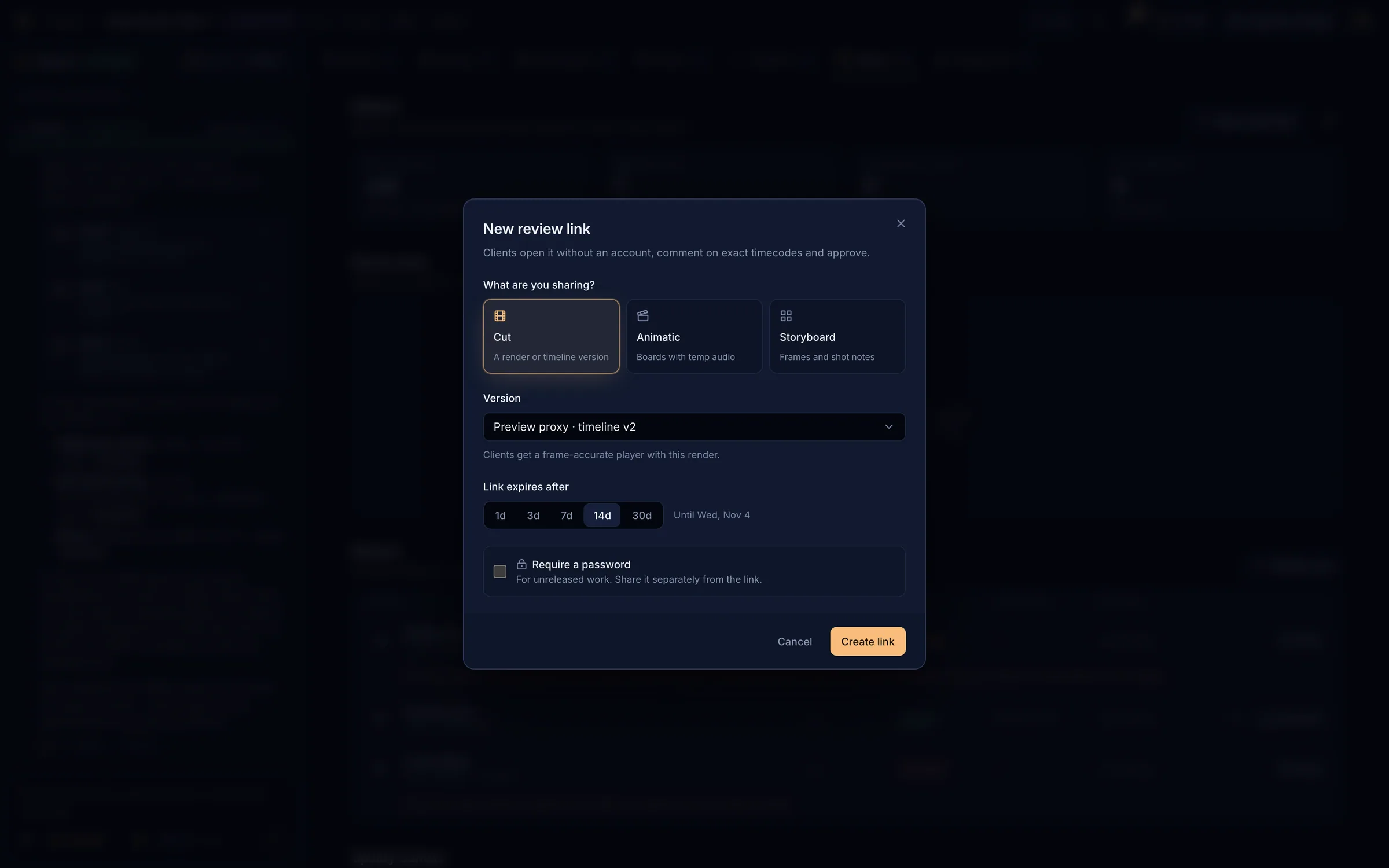
Choose what to share
Cut (a ready render plays; a timeline version is comments-only), Animatic (a saved version or the latest), or Storyboard (the current boards).
Set expiry and password
The link expires after 1, 3, 7, 14 (default) or 30 days. Require a password for unreleased work and send it separately.
Create and copy
Create link, then Copy. Copy it now: the link is shown only once. If you lose it, revoke it and create a new one.
- Each link shows its status (Active, Expired, Revoked), the client’s decision (Approved or Changes) and its comments.
- Open the comments to read notes at their timecodes and Resolve them.
- Revoke ends a link immediately; comments are kept.
- Anyone with the link can view, comment and approve. Approving an animatic link approves the animatic checkpoint.
What your client seesLink to What your client sees
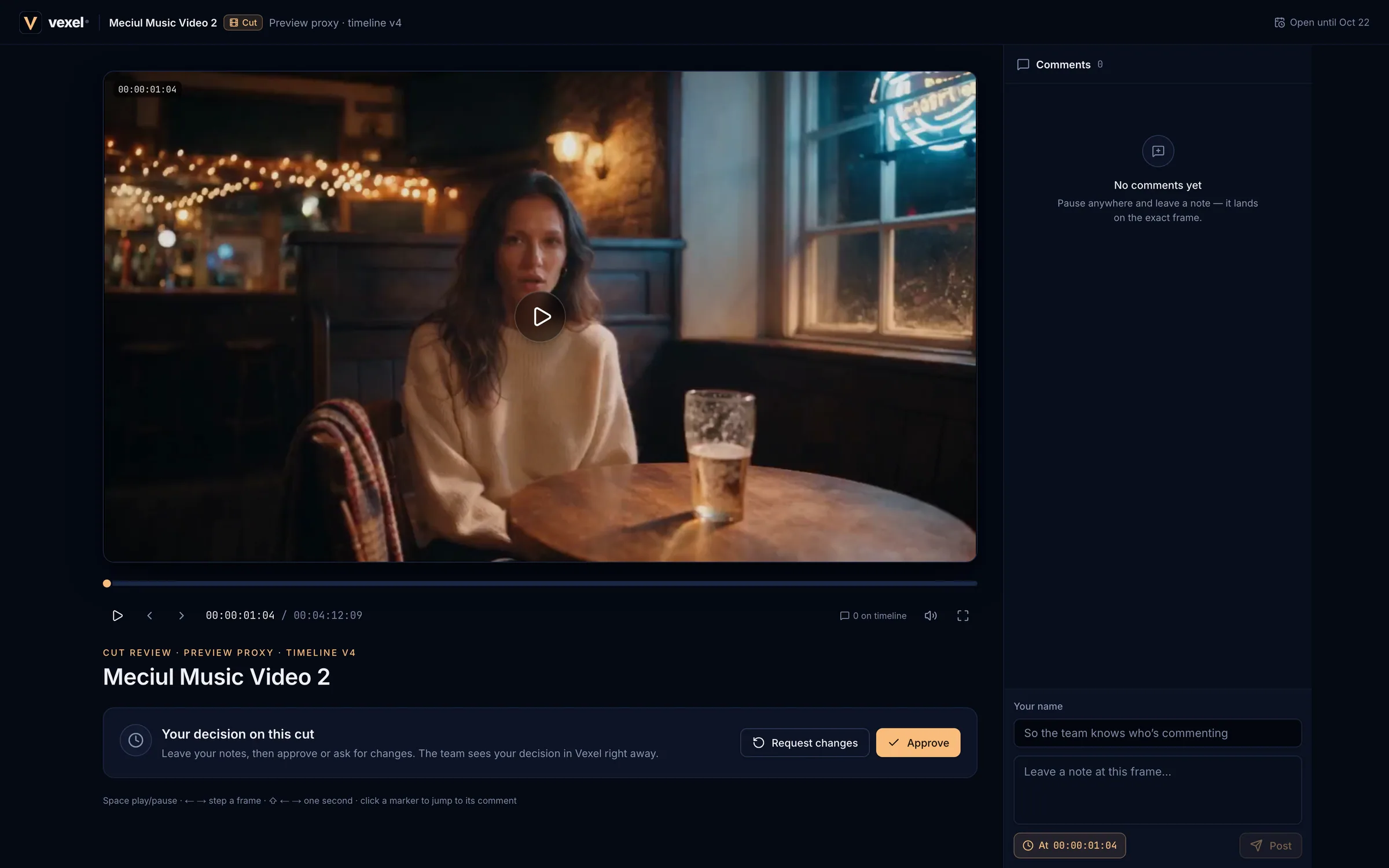
- A player with frame stepping and markers for each comment (
Space/Kplay,←→one frame,⇧for one second,Mmute,Ffull screen). - Comments: the client enters their name once, writes a note (pinned At the current frame) and posts it with
⌘↵. - Approve or Request changes, with an optional note. You are notified either way.
- A password-protected link asks for the password first. After 10 wrong tries the link locks for 15 minutes.
Spotify CanvasLink to Spotify Canvas
- A 3–8 s silent vertical loop (1080×1920) that plays behind a track on Spotify.
- Choose the start (it snaps to the bar; or Start at the first chorus), the Length, the Loop (Seamless, Hard cut or Rebound) and the framing.
- A pre-flight check warns about cuts shorter than a second or lip-sync shots in the range, and offers Move to a clean range.
- Create Canvas, then download it when it is Ready.
Storyboard PDFLink to Storyboard PDF
Download the board as a PDF: 3 or 6 per page, A4 or Letter, landscape or portrait, optionally with shot prompts for internal decks. Missing sketches can be drawn first (Draw N sketches, quoted) or replaced with placeholders. See Sketches and previz frames.