Start here · Chapter 5
The project workspace
Every project opens in the same two-pane workspace: the Director on the left, the work itself on the right, one tab per step of production.
A tour of the project screenLink to A tour of the project screen
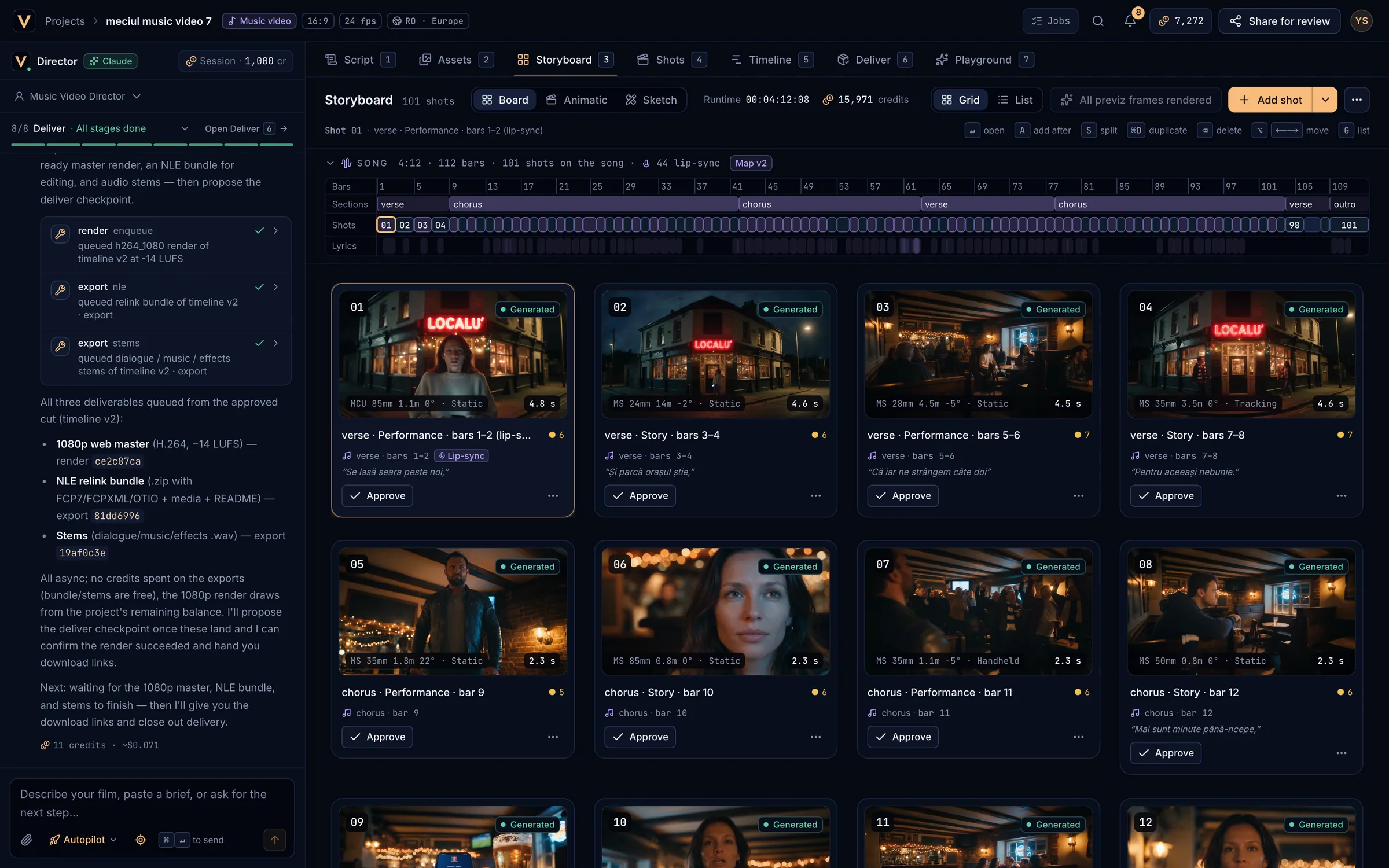
- Breadcrumb, format, aspect ratio, frame rate and market.
- Jobs, search, notifications, credits and Share for review.
- The Director pane.
- The workspace tabs, numbered
1–7. - The current tab: here the Storyboard with the song strip above the shots.
The tabsLink to The tabs
| Key | Tab | What happens there |
|---|---|---|
| 1 | Script | The concept and the timed screenplay; the song panel for music videos. |
| 2 | Assets | The Asset Bible: cast, places, products, props, voices and looks. |
| 3 | Storyboard | Shots, frames and the animatic in one place: Board, Animatic and Sketch modes. |
| 4 | Shots | The render plan and the video takes for every shot. |
| 5 | Timeline | The edit: picture, sound and titles. |
| 6 | Deliver | Masters, editorial handoff, Spotify Canvas and review links. |
| 7 | Playground | Any model on its own, outside the pipeline. |
- Press a number key to switch tabs (not while you are typing or a dialog is open).
- A dot on a tab marks where the next step happens; it pulses when a checkpoint waits for you there. Hover a tab for its summary.
- When the Director changes something, the affected rows pulse so you can see what moved.
The project headerLink to The project header

- Projects › (and the series, for an episode) takes you back.
- Chips: the format, the aspect ratio, the frame rate and the market. Click the market to change who the film is cast for; existing characters keep their look until you edit them.
- Jobs: everything running in the background (see below). It shows live progress such as Generating · 6/14.
- Search (
⌘K), the notifications bell, and your credit balance (links to Billing). - Share for review: opens Deliver to create a client review link.
Background jobsLink to Background jobs
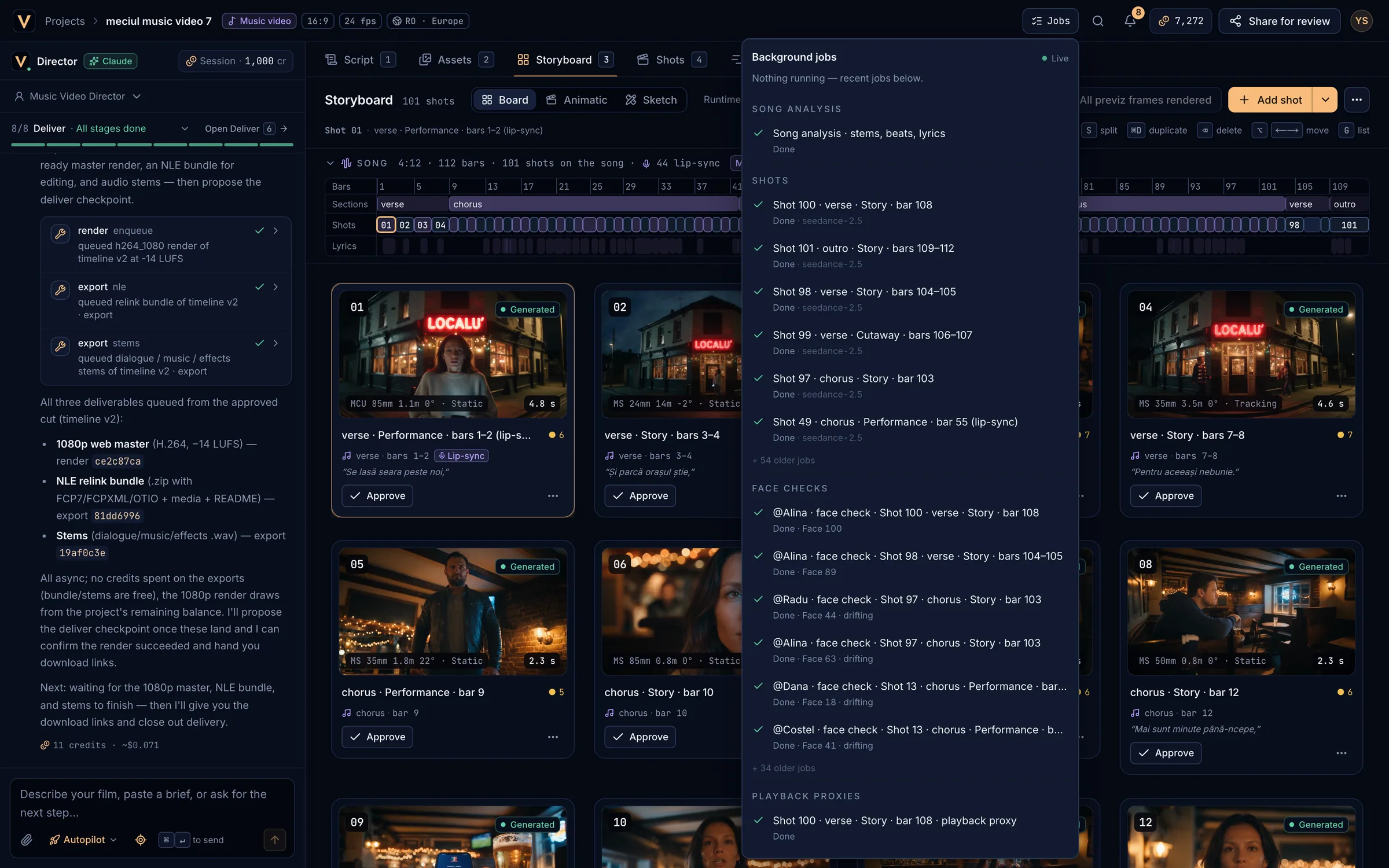
- Groups include reference images, song analysis, pencil frames, scratch VO, shots, face checks, playback proxies, renders and exports.
- Each row shows Queued · #3, Running · 0:42, Done or Failed with the reason.
- Retry re-runs a failed job that can be retried. Cancel stops a queued or running generation; nothing is charged for it.
- Jobs keep running when you close the tab. You get a notification when renders, exports and shot batches finish.
Work alongside the DirectorLink to Work alongside the Director
You and the Director edit the same project. Anything you change in a tab is what the Director sees on its next turn, and anything it changes appears in your tab. A good rhythm: let the Director do the heavy lifting, then refine by hand (rename a character, retime a shot, pick a take) and tell it what you changed if it matters for the next stage.