Make a film · Chapter 14
Playground
The Playground runs any model on its own, outside the pipeline: test a look, try a shot on three models, make a sound effect. Same credit rules as everywhere: a quote before you spend, nothing charged for failures.
The PlaygroundLink to The Playground
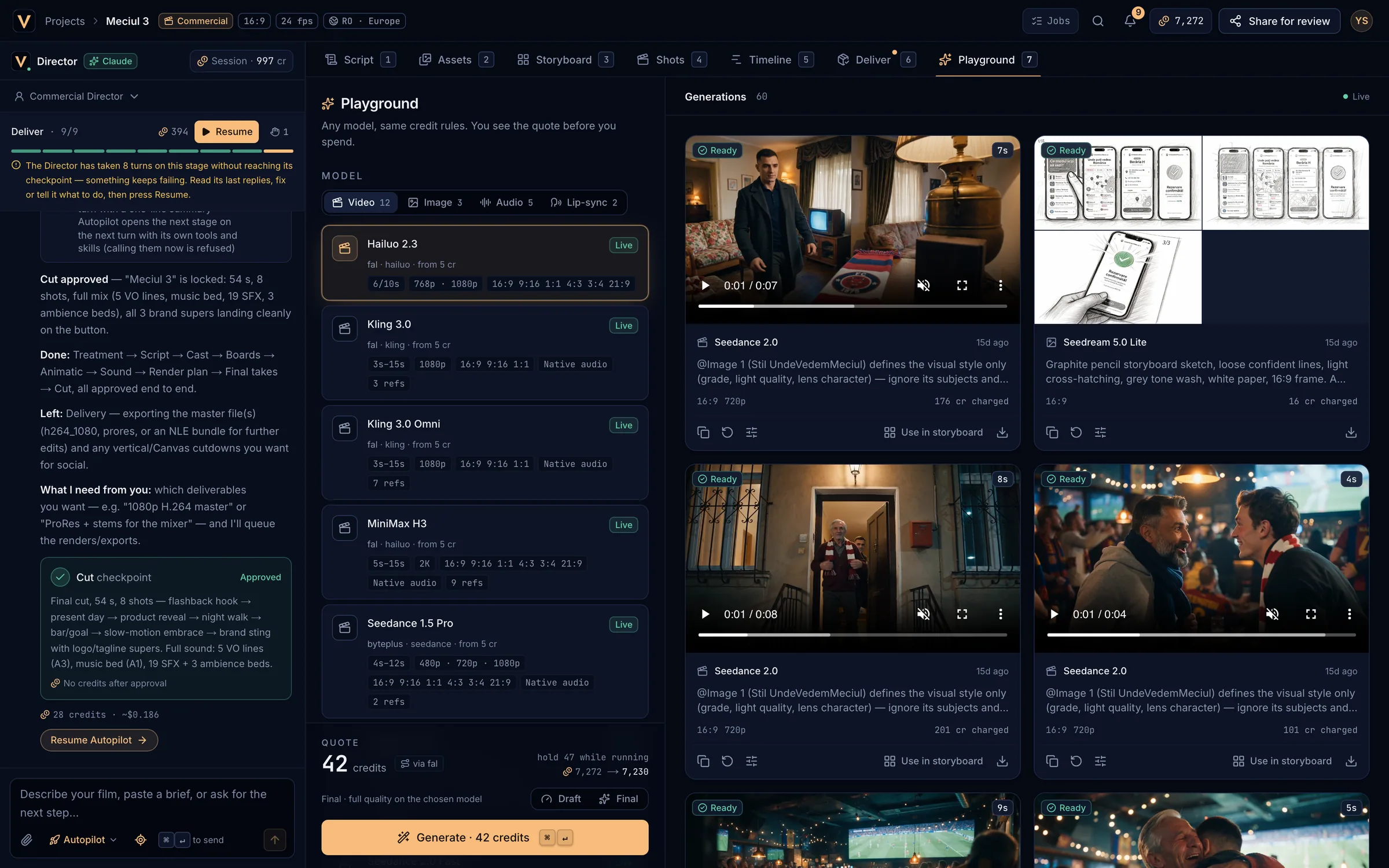
- Video, Image, Audio and Lip-sync models.
- Model cards: capabilities and starting price.
- The quote, the hold and your balance after.
- Generate (
⌘↵). - Generations: every result, with actions.
Generate somethingLink to Generate something
Pick a model
Choose a family, then a model card. Chips show durations, resolutions, aspect ratios, Native audio and how many references it takes.
Write the prompt and settings
Add references from the Asset Bible, and set duration, aspect, resolution, images per job (up to 4) and an optional seed. Audio models take a voice; lip-sync models take a video and an audio.
Check the quote
QUOTE N credits with hold N while running and your balance after. Choose Draft for a cheap preview or Final for full quality.
Generate
Press Generate · N credits or
⌘↵. The job appears in the gallery and updates live.
The galleryLink to The gallery
- Each result shows Queued, Generating, Ready, Failed (with the reason) or Cancelled, and N cr reserved, N cr charged or Credits released.
- Icons: copy the prompt, re-run with the same settings (a new paid job), load the settings into the composer, and download.
- Use in storyboard (video and lip-sync): pick a shot; the result becomes that shot’s next version and earlier versions stay.