Start here · Chapter 1
Welcome to Vexel
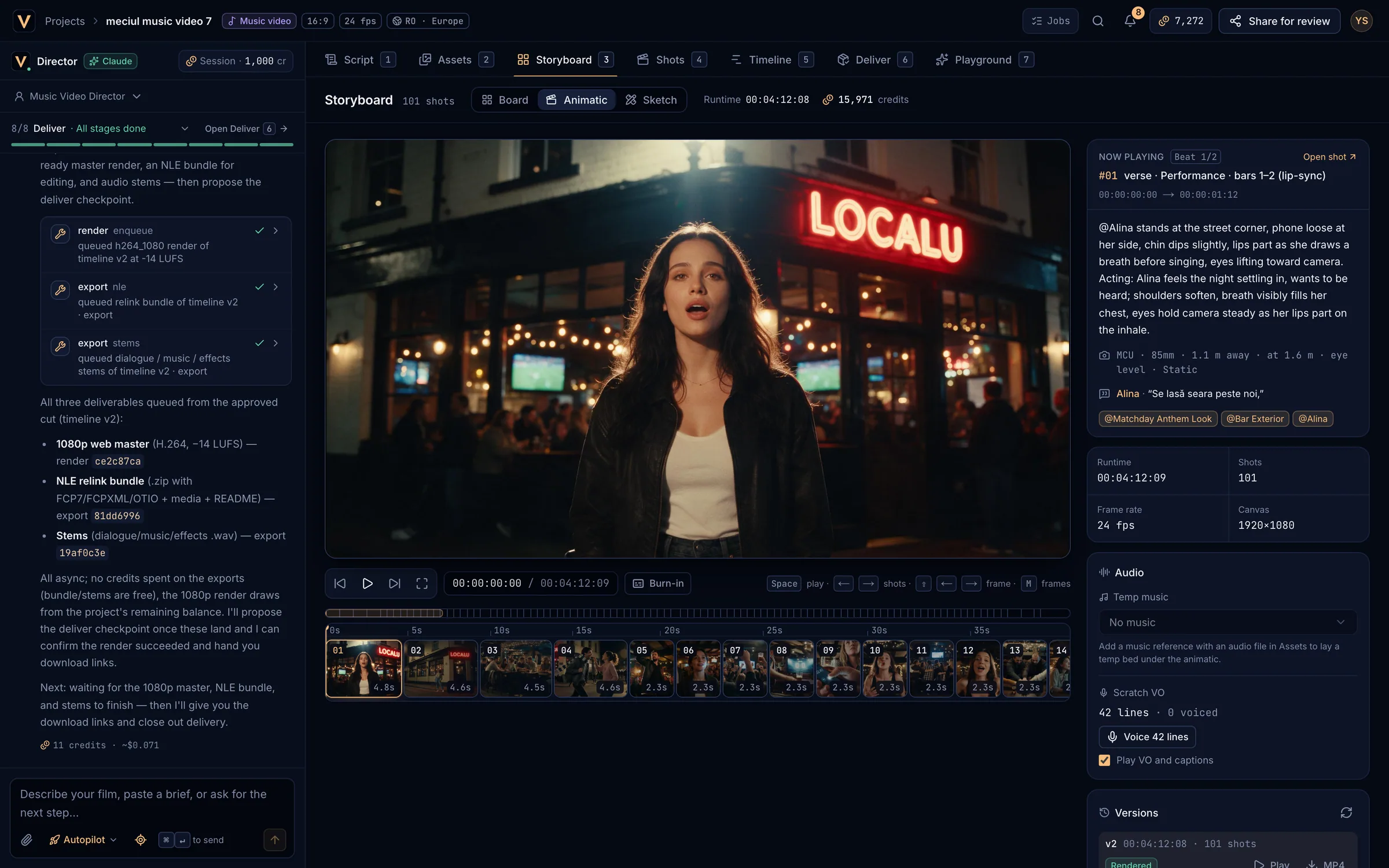
Vexel is a production office for AI video. A Claude-powered Director takes your idea from brief to delivered cut: it writes the script, casts the film, boards every shot, plans the render and edits the takes, and it stops for your approval before anything costly happens. Every video model sits behind one credit meter.
What you can makeLink to What you can make
- Commercials: 15, 30 or 60 second spots from a brief, with boards, an animatic and client approval.
- Music videos: cuts locked to the song’s bars, sections and lyrics, with lip-synced performance shots.
- Mini series: vertical drama in episodes and seasons with a shared cast and continuity.
- Freeform: experiments, tests and one-off shots with any model.
How a project flowsLink to How a project flows
Brief
Tell the Director what you are making, or paste the client brief. Attach photos, the song or reference clips.
Script
A concept and a timed screenplay in the Script tab.
Cast
Characters, places, products and voices with reference images in the Asset Bible.
Boards
Shots with timed segments and camera in the Storyboard, each with a frame.
Animatic
The frames timed with scratch VO and temp music: watch the film before it is shot. See Animatic.
Render plan and generation
A model for every shot, one quote, then the video takes in Shots.
Cut
The takes assembled on the Timeline, with sound and titles.
Deliver
Masters, editorial handoff and client review links in Deliver.
You approve each stage at a checkpoint, or let Autopilot approve the routine ones. See Checkpoints and Autopilot.
Your first project in five minutesLink to Your first project in five minutes
Create a studio
Sign up free at app.vexel.video. See Your account.
New project
Choose New project, pick Commercial, name it and create it.
Brief the Director
For example: “A 30 second spot for a neighbourhood coffee roaster. Warm, early-morning light, a barista and a regular. End on the bag and the logo.” Press
⌘↵.Approve the script
Read it in the Script tab, then Approve & continue in the Director pane, or Request changes.
Keep going
Approve the cast, the boards and the render plan. Watch the takes arrive in Shots, and the cut on the Timeline.
Words used in this manualLink to Words used in this manual
| Term | Meaning |
|---|---|
| Studio | Your account’s workspace: projects, credits and plan. |
| Director | The Claude-powered agent in the left pane of every project. |
| Checkpoint | The end of a stage, where you approve the work or request changes. |
| Asset | Anything that must stay the same across shots: a character, place, product, prop, voice or look. Mentioned in shots as @handle. |
| Shot | One camera set-up of the film, with timed segments, camera and a model. |
| Segment | A timed beat inside a shot, such as [0–2s]. |
| Frame | A still for a shot: a pencil sketch or a realistic previz frame. |
| Take | One generated video of a shot. A shot can have many; one is In cut. |
| Render plan | A model for every shot and one quote for the board. |
| Master | A finished render of the cut (ProRes, DNxHR, H.264…). |
| Credit | The one unit every model and the Director are priced in. |
| Quote / hold | The price shown before a job; the amount reserved while it runs. |
Getting helpLink to Getting help
Search the Help Center, read the FAQ, or open a support ticket. Ideas for Vexel are welcome as feature requests.