Make a film · Chapter 11
Sketches and previz frames
Every shot can have two kinds of frame. A **previz frame** is a realistic still of the shot’s opening moment: the animatic plays it and the video take starts from it. A **pencil sketch** is a quick drawing for the client board and the PDF; sketches are never sent to the video model.
Previz framesLink to Previz frames
- Render them from the Board: Render previz · N for every shot without one, or Render on a card.
- The dialog explains how frames are made for your render flow, lists the shots, and quotes the job: N frames × X credits, the total and your balance after.
- Hero quality renders every frame at full quality; Fast renders non-hero shots about 3× faster and 60 % cheaper (BytePlus flow). The product beat, the end card and shots with supers stay Hero.
- A shot already rendered from the same sketch is reused at no cost.
- Approve the frame you want (one approved previz frame per shot).
When a shot changes after its frame was made, the card says Frame outdated and the board offers Re-render outdated · N. Nothing re-renders by itself.
When previz frames are madeLink to When previz frames are made
Choose in the Board’s … menu → Previz and sketch style…:
- Always: a frame for every beat of every shot once the boards are approved.
- Ask me (default): the Director recommends rendering or skipping, quotes it and asks.
- Off: no previz credits; the animatic plays sketches or placeholders.
You can always render a frame yourself, whatever this setting.
Fix one area of a frameLink to Fix one area of a frame
Open Fix this area
From a previz card’s … menu, or from Annotate.
Mark the spot
Draw over what is wrong (fine or bold pen,
⌘Zto undo).Say what should change
One change, for example “the lamp on the desk is switched off”.
Check the price and fix
Check price, then Fix area. The result is a new frame; the old one stays in its history.
Pencil sketchesLink to Pencil sketches
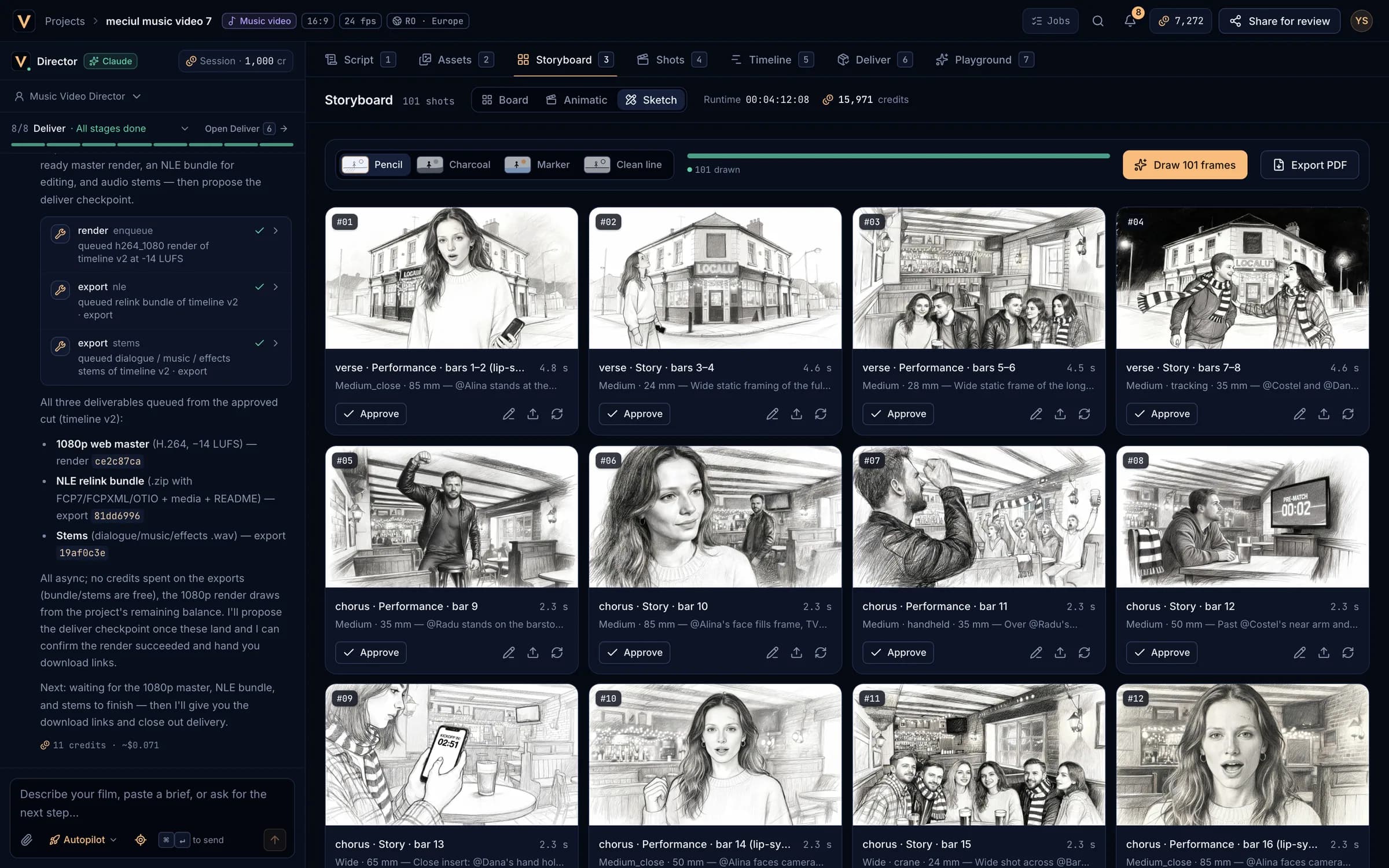
- Switch the Storyboard to Sketch. Pick a style: Pencil, Charcoal, Marker or Clean line.
- Draw N frames draws one image per segment of every shot without an approved sketch, quoted first. An unchanged shot is reused at no cost.
- On each card: Approve (
↵), Annotate, Compare takes, Upload your own drawing (PNG or JPEG up to 25 MB, or drag it onto the card) and Redraw. - Annotations (arrows and notes) are saved as a layer and play in the animatic.
- Sketches are drawn only when you ask; the Director does not draw them unasked.
Compare and approve takesLink to Compare and approve takes
Each lane keeps every frame it has made. N takes (or Compare takes) shows any two side by side; approving one un-approves the others in that lane. A shot has one approved sketch and one approved previz frame.
Export the storyboard as a PDFLink to Export the storyboard as a PDF
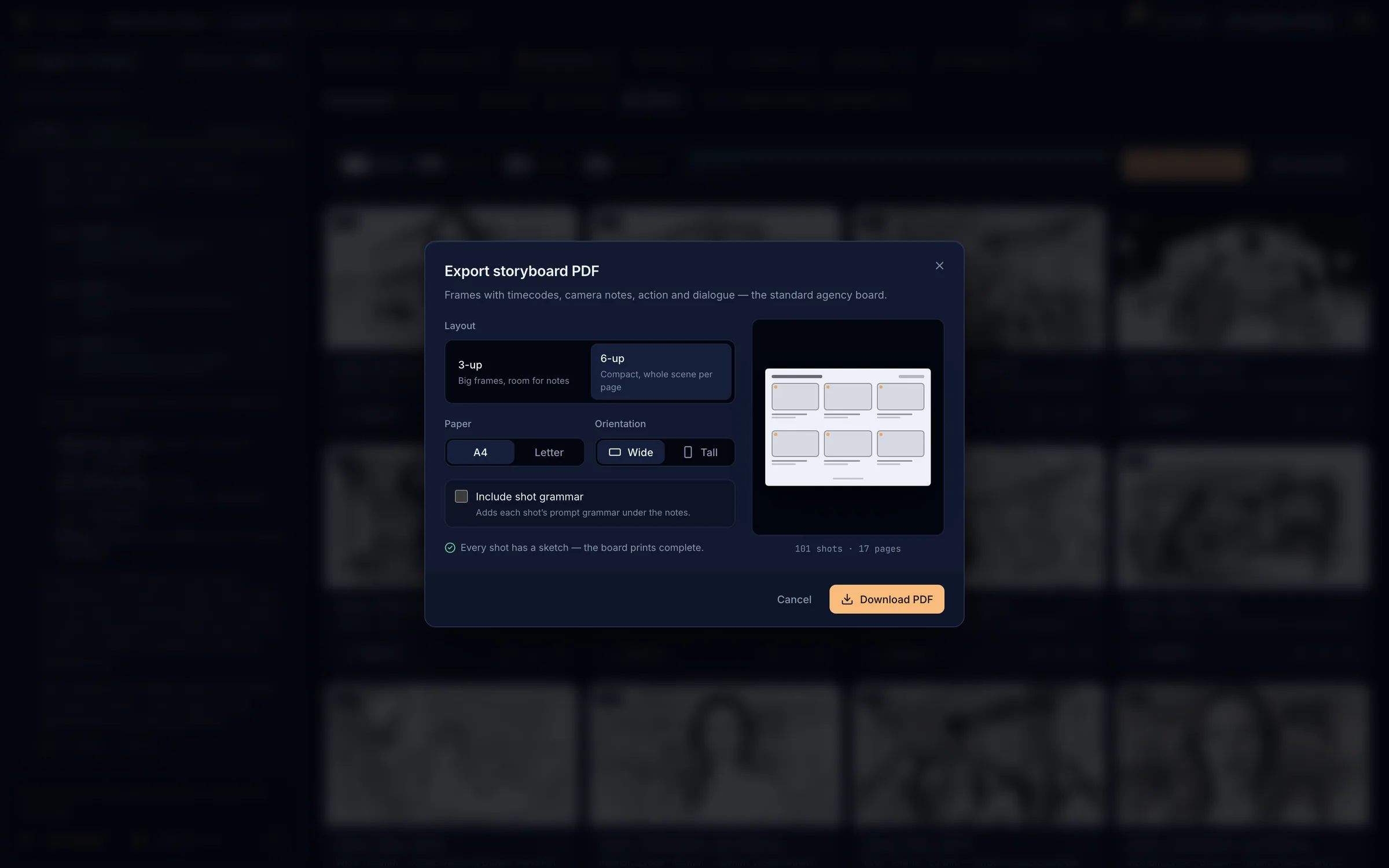
- Layout: 3-up (big frames, room for notes) or 6-up (a whole scene per page). Paper: A4 or Letter. Orientation: Wide or Tall. Optionally Include shot grammar.
- Each panel prints the frame, timecodes, camera, action, audio and dialogue.
- If some shots have no sketch, draw them first (quoted) or Export with placeholders.
- The PDF itself is free. The same export is in the Deliver tab.