Formats · Chapter 18
Mini series
A mini series is vertical drama in episodes and seasons. Each episode is its own project, but they share a series guide and a cast, and every new episode picks up where the last one ended.
Create a series and its first episodeLink to Create a series and its first episode
New project → Mini series
Choose New series and give it a name.
Set the season and title
Season (1–99) and an optional Episode title. The project is named “Series · S1 E1 — Title”.
Create and brief
Episodes are 9:16 by default and run the commercial workflow. The first episode’s Director writes the series logline and guide from its story.
The series pageLink to The series page
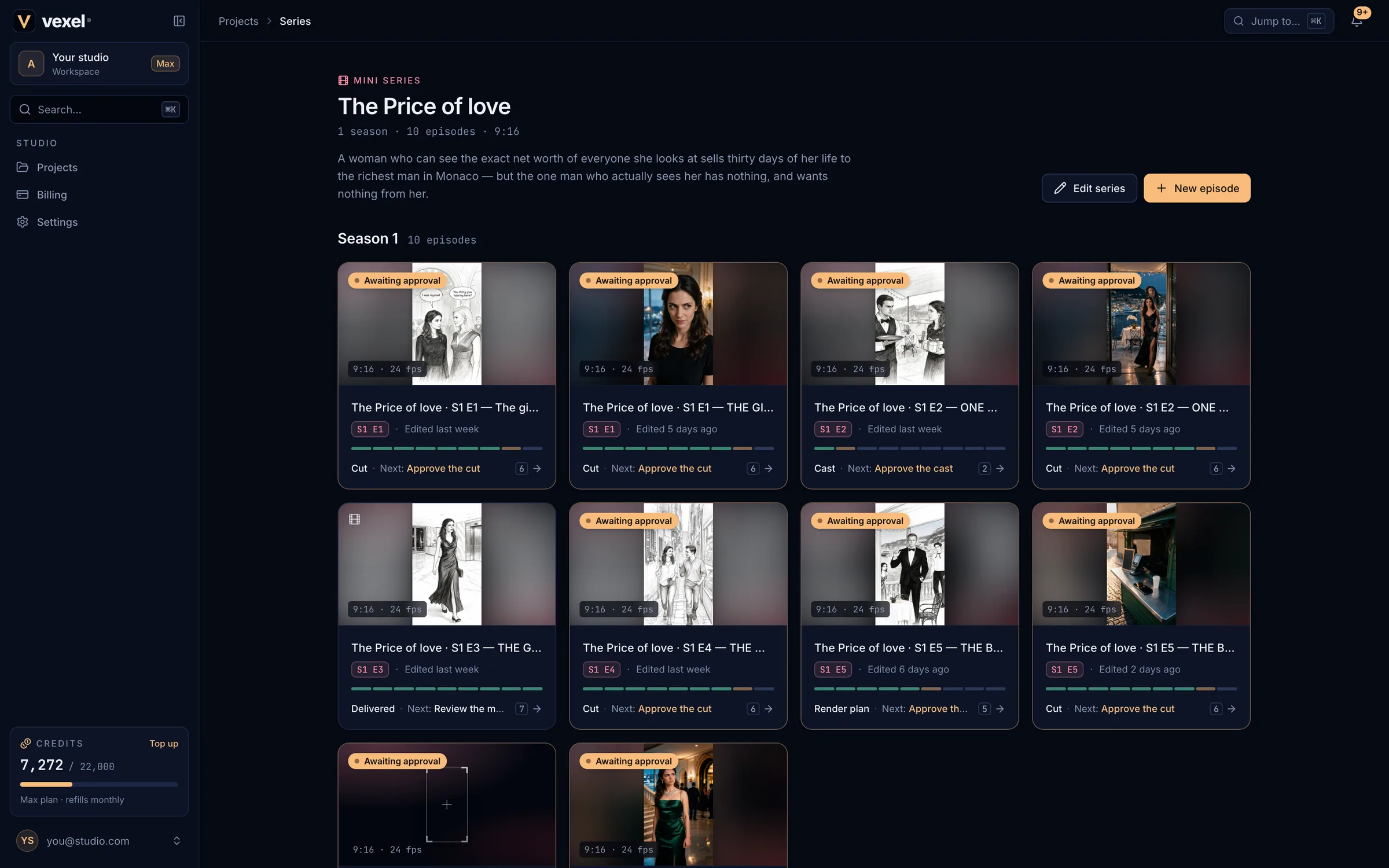
- The header shows seasons, episodes and the aspect ratio, the logline, Edit series and New episode (added to the latest season).
- Episodes are grouped by season and use the same cards as the dashboard. They do not appear in the main project grid.
- Cast: the characters, places and looks every episode uses. Open one to change it for the whole series; a badge shows episodes that have their own version.
- Series guide: premise, world rules, tone and look, recurring places and where each character is headed. The Director reads the logline and the guide in every episode.
Next episodes and continuityLink to Next episodes and continuity
- New episode (or New project → Mini series → your series) creates the next number in the season. Leave Episode empty for the next free one.
- A new episode starts from where the previous one ended: wardrobe, place and time carry over, and the Director reads the earlier episodes as the story so far.
- Picking an episode number that already exists makes a new version of that episode (“v2”). The old one is kept.
Share the castLink to Share the cast
- In an episode’s Assets tab, open an asset and choose Add to series cast to make it series-wide.
- Editing a series asset from an episode after its look is approved creates that episode’s own version; other episodes are unaffected. Use in the series pushes an episode’s version to the whole series.
- Changes apply to future takes; takes already made keep their look.